Where do I configure the bastion?
In scenarios where you want to strictly limit who can access
Cloud SQL instances, a bastion functions as a secure intermediate access point.
Instead of directly opening instances to the outside, the bastion is used as a "secure gateway" for access.
- Go to the main screen of Cloud SQL Instances
- Home > Developer > Environment Management >
SQL Instances.
- Home > Developer > Environment Management >
- Search for the instance and select the ⚡️ action
Create Bastion.
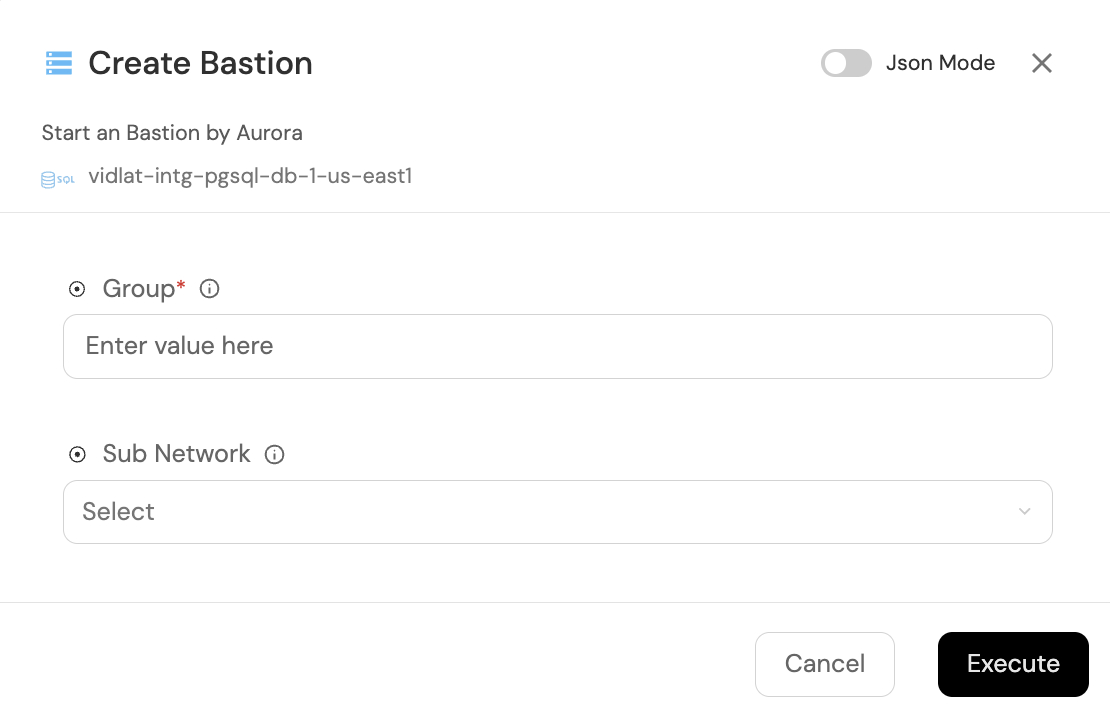 Menu to create bastion
-
Group: Email of the group that will have access to the bastion. E.g.: grp_andes_devs@latam.com
-
Sub Network: SubNet belonging to the GCP project of the Cloud SQL instance.
How does a bastion work in Cloud SQL?
The typical implementation is as follows:
- Bastion Instance:
A VM in Compute Engine runs the Cloud SQL Auth Proxy, a Google tool that manages encrypted, secure, and authenticated connections to Cloud SQL instances. - Secure connection:
From the bastion VM, requests to databases travel over encrypted and authenticated connections, without the need to expose them publicly.