Storage
The Storage Buckets service in ANDES enables centralized management of object storage in GCP for LATAM services, facilitating file and data handling through standardized buckets.
Note
You only need to enter the name; ANDES adds the naming convention [itelement]-[environment]-`name`
e.g.: andes-dev-nombreingresado
Create Bucket
To create a bucket, go to the main page, Home > Catalog > Developer > Environment Manager > Storage On that screen, go to the ⚡ action GCP Bucket .
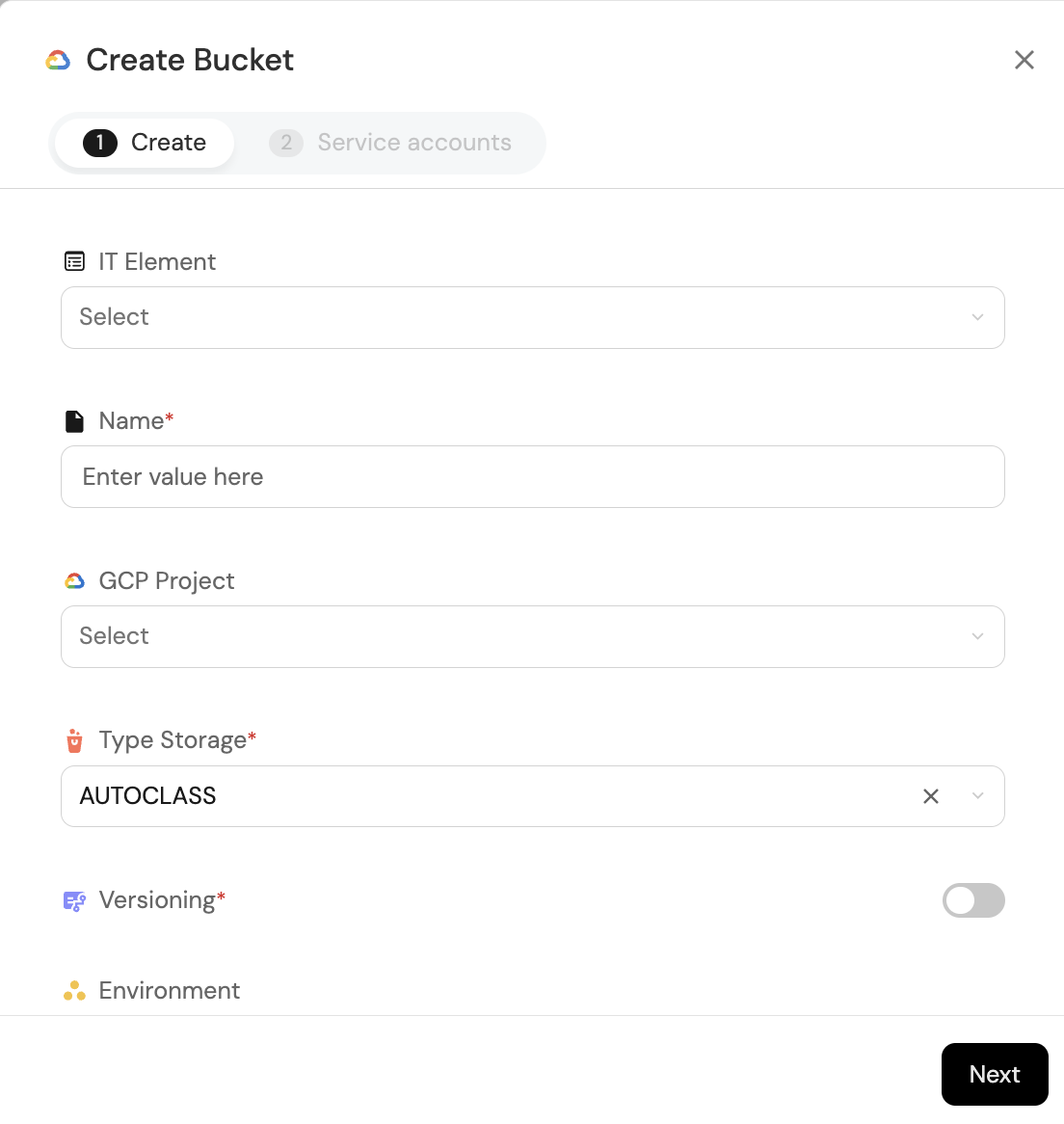 Bucket creation form
The form has two parts
success
- IT Element: IT Element that will be associated with my bucket
- Name: Bucket name; only enter the name, the naming convention will be built during the process [itelement]-[environment]-`name`
- GCP Project: GCP project to which the bucket will belong and where it will be created
- Type Storage: Defines how your data will be stored based on access frequency and required durability.
The main classes are:
- Standard: Data you use frequently (high availability, low latency).
- Nearline: Data you access infrequently (less than once a month).
- Coldline: Data accessed very rarely (less than once a quarter).
- Archive: Data stored for long periods (rarely accessed, generally for legal or regulatory reasons).
- Versioning: Allows keeping multiple historical versions of objects stored in the bucket. If you modify or delete a file, a previous version is automatically preserved, making it easier to recover accidentally deleted or modified information.
- Enabled: Keeps old versions of objects, useful for recovery or audits.
- Disabled: Does not keep previous versions; changes directly overwrite existing objects.
- Environment:
- Location: Indicates the physical location (region or multi-region) where your data is stored:
- Regional: Stores data in a single region (e.g.: us-east1). Lower latency for local applications.
- Multi-Regional: Stores data across multiple regions within a broad geographic area (e.g.: US, EU). Higher global availability.
Important
Multi-Regional is only enabled for production environments
- Service Account permissions
- Admin: Fully manages objects, including creation, modification, and deletion.
- Creator: Can upload and add new objects to the bucket, but cannot modify or delete existing ones.
- Viewer: Can only list and read objects.