GCP Pub/Sub Subscriptions
Create PULL / PUSH Subscription
There are two ways to create a subscription
-
Go to the main screen via Home > Catalog > Developer > Environment Manager > Messenger Service >
GCP Pubsubs Subscriptions- Go to the ⚡️ action GCP Pubsub Subscription and select ⚡️
Create Pull or Push Subscription

- Go to the ⚡️ action GCP Pubsub Subscription and select ⚡️
-
Go to the GCP Pub/Sub Topics screen, in the table with the list of topics, select the required one and go to the ⚡️ actions and select the option ⚡️
Add Pull / Push Subscription
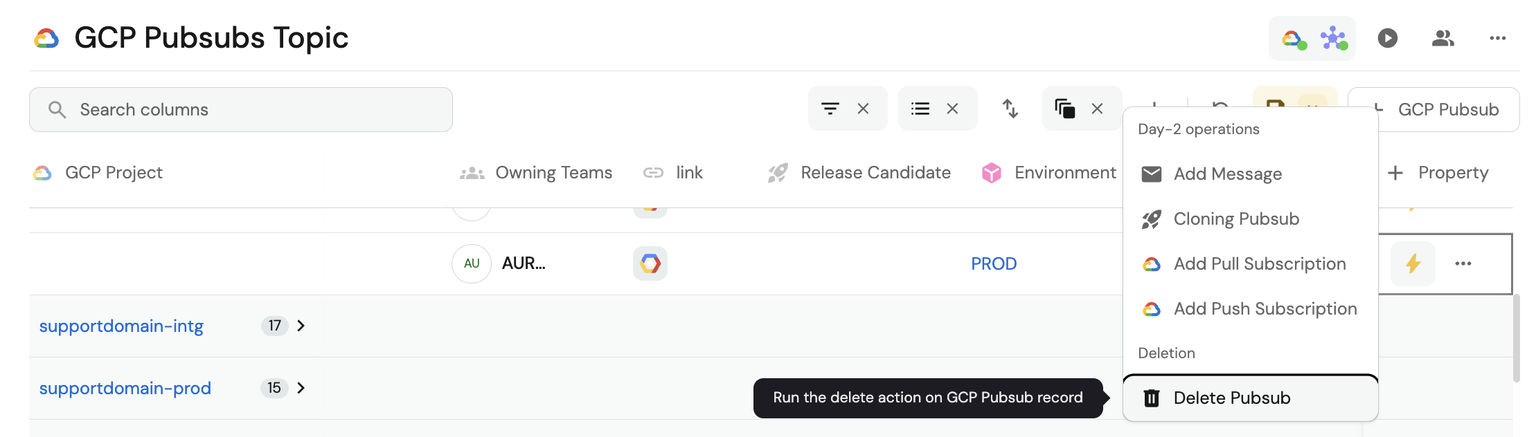
Form
By selecting only the 📧 Pub/Sub and the name, we can create our pull or push subscription
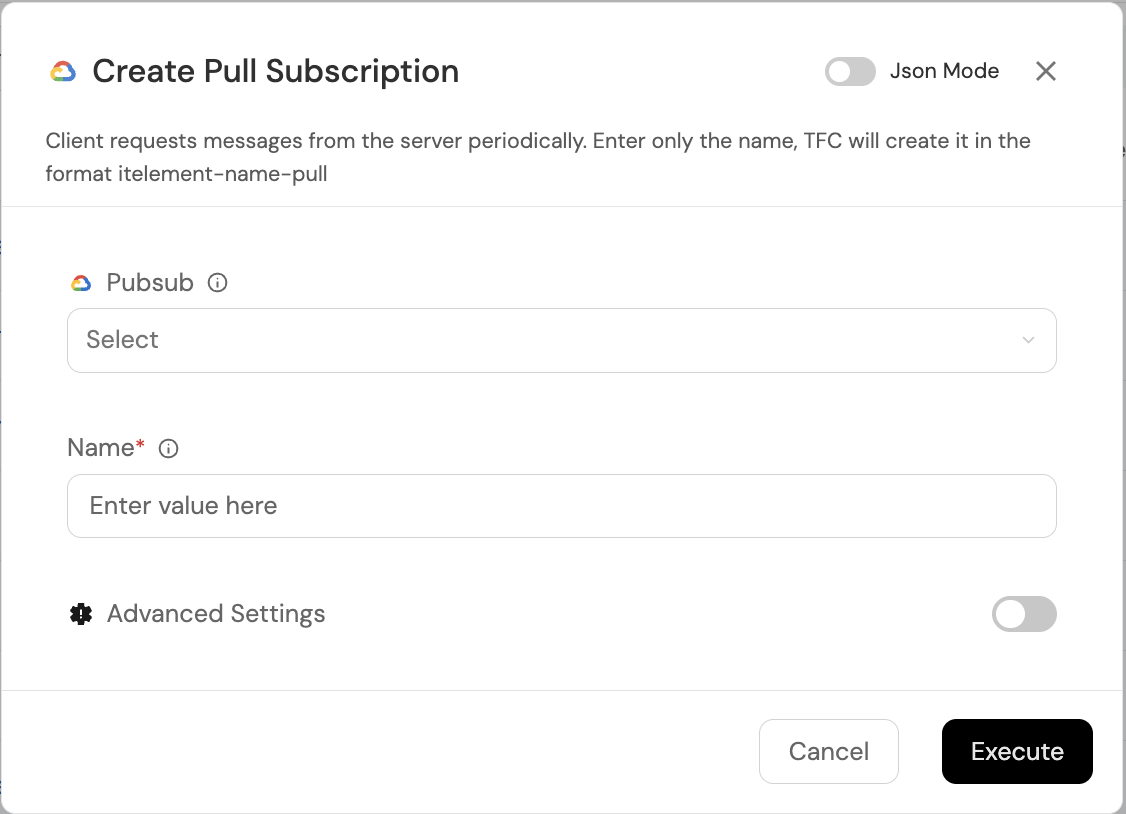
The Subscription will be created with the following naming convention [itelement]-`name`-[type] e.g.: andes-misubscription-pull | andes-misubscription-push
You can access advanced configuration
Once the Pub/Sub Subscription advanced configuration is open, you can configure variables such as:
- Message retention (sec): 604800 (default)
- Retain ACKed messages: Optional
- Acknowledgement deadline: 10 (default)
- Subscription filter: Customizable
- Exactly once delivery: Optional
- Message ordering: Optional
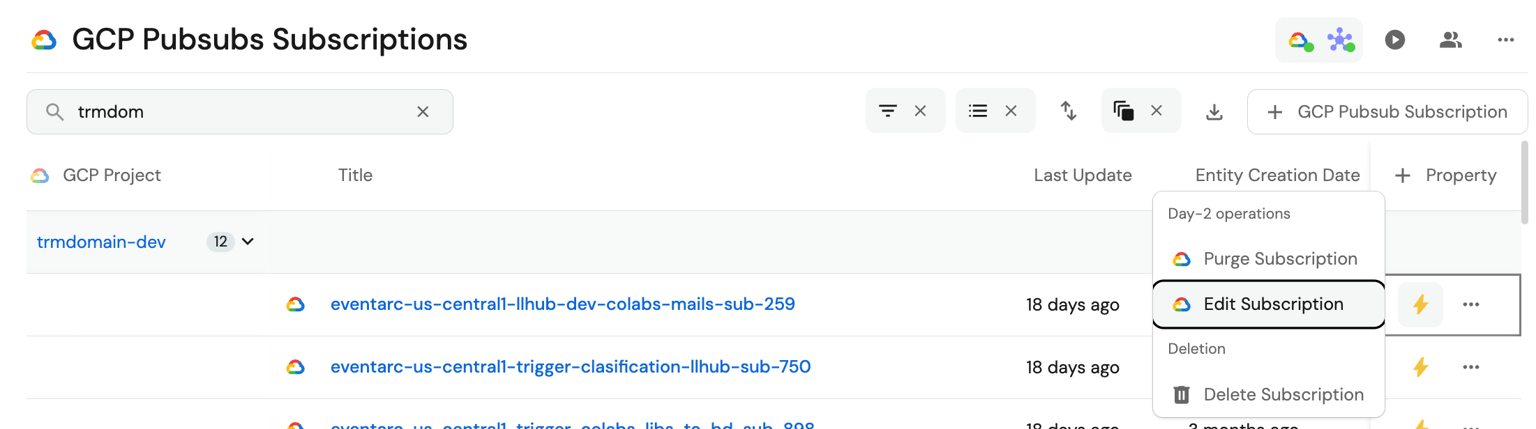
Edit
Go to the main screen via Home > Catalog >
Developer > Environment Manager > Messenger Service > GCP Pubsubs Subscriptions
- Find the subscription to edit in the list, then go to the ⚡️ action
Edit Subscription.
Purge
Facilitates fast and secure removal of accumulated messages in GCP Pub/Sub subscriptions. This service optimizes control and maintenance of your message queues, allowing you to easily reset subscription state and maintain optimal system performance.
- Go to the main screen via Home > Catalog
Developer > Environment Manager > Messenger Service >
GCP Pubsubs Subscriptions - Find the subscription to purge in the list, then go to the ⚡️ action
Purge Subscription.
Delete
- Go to the main screen via Home > Catalog
Developer > Environment Manager > Messenger Service >
GCP Pubsubs Subscriptions - Find the subscription to delete in the list, then go to the ⚡ action
🗑️ Delete Subscription.