Workloads
The Workloads service in GKE on ANDES enables centralized management of workloads in Kubernetes for LATAM services, facilitating Day-2 operations and pod monitoring through an agent installed in the clusters.
Overview
To run the actions, it is very important that all our components are properly labeled toward our IT Element cmdb-itelement: itelement.
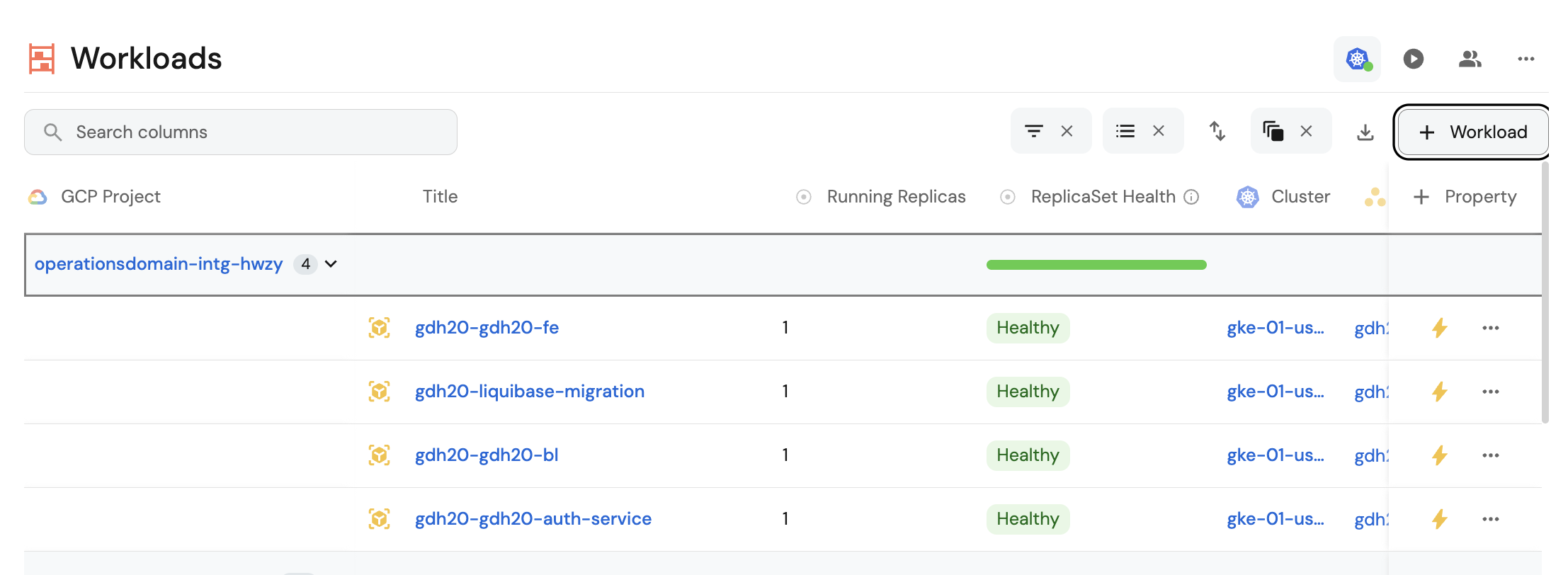
The main screen is accessed via Home > Developer > Environment Management > GKE > Workloads
Rollback Deployment
- With this option we can easily generate a rollback of our workloads by going to the main screen and finding the workload.
- Go to the ⚡ Actions and select
Rollback Deployment. - The form will appear, where we can select the version (revision) we want to roll back to.
Restart Deployment
- Go to the main screen.
- Find the workload.
- Go to the ⚡ Actions and select
Restart Deployment.
Set Replicas
A replica refers to the number of identical copies of an application or service running simultaneously.
What are replicas used for?
- High availability: If one replica fails, others continue running.
- Load balancing: Traffic is distributed across multiple replicas.
- Scalability: You can increase or decrease the number of replicas based on demand.
- Go to the main screen.
- Find the workload.
- Go to the ⚡ Actions and select
Set Réplicas. - The form opens with the input to enter the number of replicas.
Deployment Delete
With this option we delete the workload
- Go to the main screen.
- Find the workload.
- Go to the ⚡ Actions and select
Deployment Delete.