Blueprints / Actions IaC TFC
- Request
maintaineraccess or creation of a new repository in GitLab, inside theport-definitionsfolder. This is the central repository where all blueprints and sync agents are created and managed. - With access granted, clone the repository
git clone urlrepo.gitand open it in your editor. In this example we use VS Code.
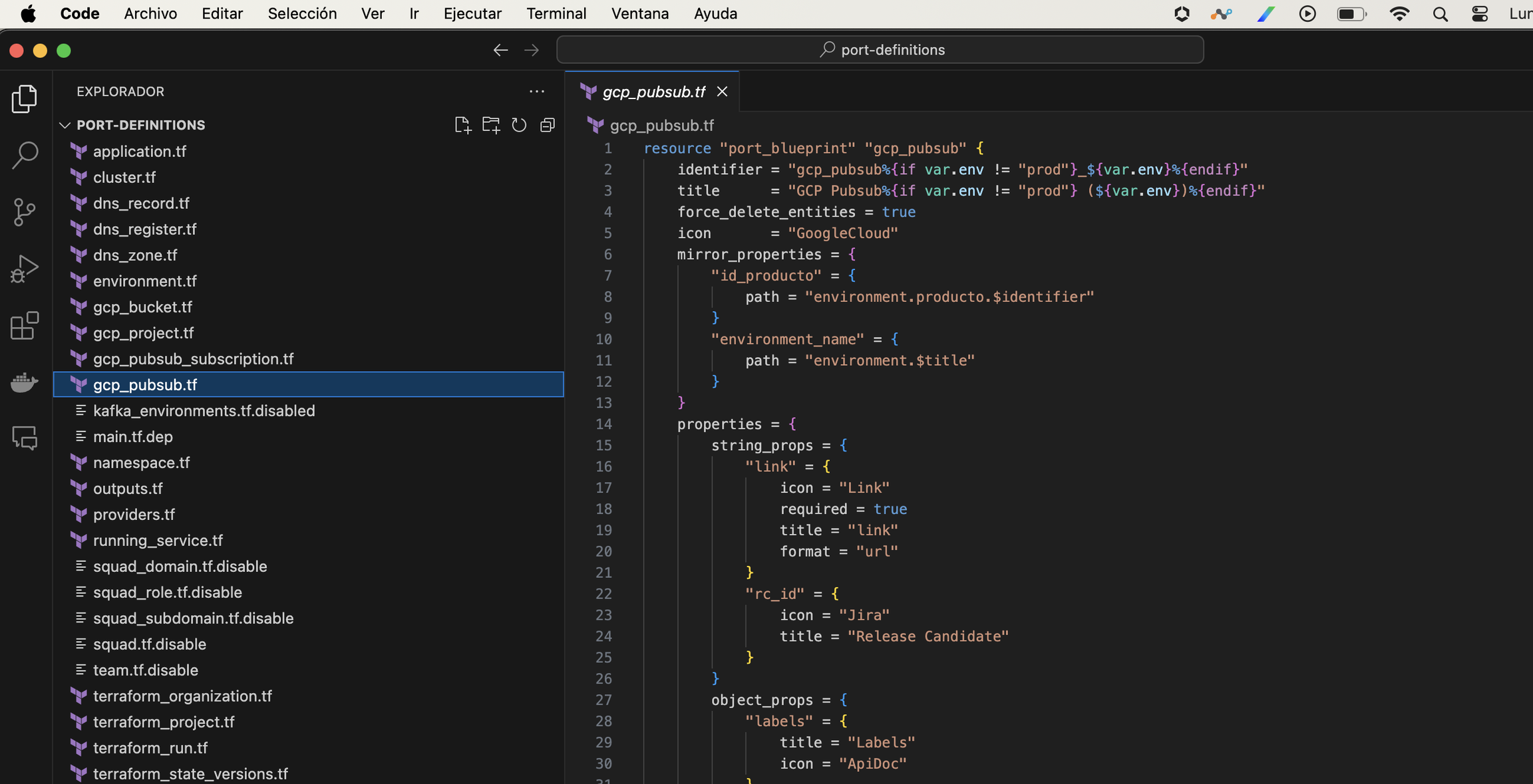
- The following example is a blueprint called GCP Pubsub. As you can see, it has the properties "link", "Labels", and "Release Candidate". By default, Port creates the properties "title", "identifier", "create at", and "Owner Teams".
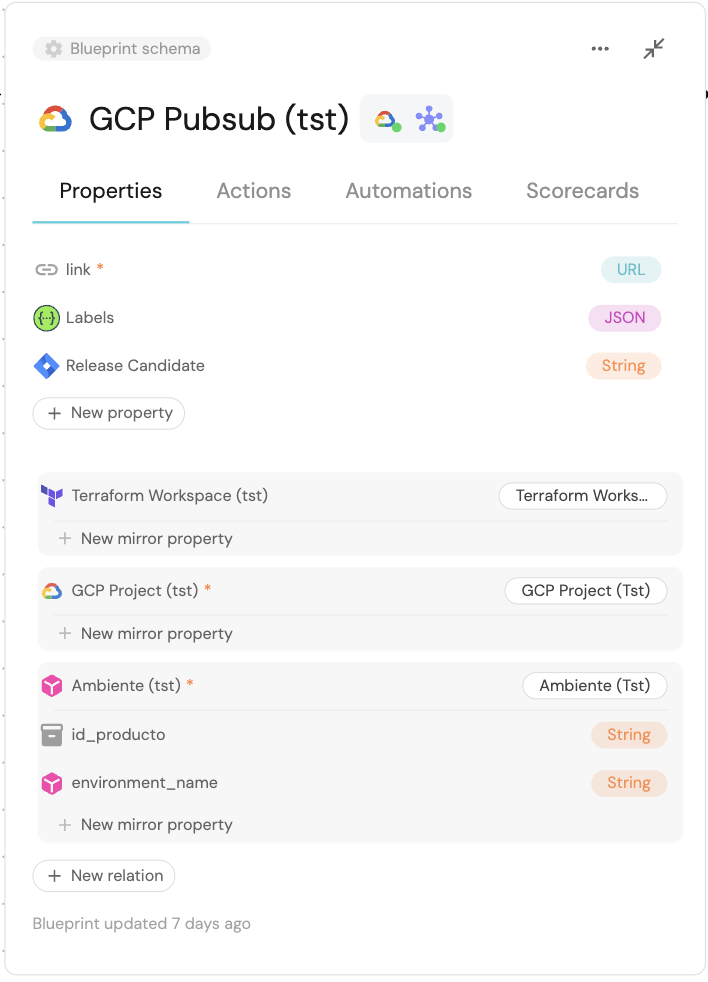
For details on each property, see the official terraform.io documentation.
- To create this GCP Project blueprint as IaC, use the following code.
  resource "port_blueprint" "gcp_pubsub" {
      identifier = "gcp_pubsub"
      title = "GCP Pubsub"
      force_delete_entities = false
      icon = "GoogleCloud"
      mirror_properties = {
          "environment_name" = {
              path = "environment.$title"
          }
          "product_id" = {
              path = "environment.producto.$identifier"
          }
          "terraform_project_id" = {
              path = "gcp_project.terraform_project.$identifier"
          }
          "terraform_workspace_id" = {
              title = "terraform_workspace_id"
              path = "terraform_workspace.workspace_id"
          }
          "gcp_project_id" = {
          title = "GCP Project id"
          path = "gcp_project.$identifier"
          }

      }
      properties = {
          string_props = {
              "link" = {
                  icon = "Link"
                  required = true
                  title = "link"
                  format = "url"
              }
              "rc_id": {
                  title = "Release Candidate"
                  icon = "Rocket"
              }
          }
          object_props = {
              "labels" = {
                  title = "Labels"
                  icon = "ApiDoc"
              }
          }
      }
      relations = {
          "terraform_workspace" = {
              target     = "terraform_workspace"
              title      = "Terraform Workspace"
              many       = false
              required   = false
          }
          "gcp_project" = {
              target     = "gcpProject"
              title      = "GCP Project"
              many       = false
              required   = true
          }
          "environment" = {
              target     = "environment"
              title      = "Environment"
              required   = false
          }
      }
      team_inheritance = {
          path = "environment.producto"
      }
  }
- Here you can see properties of type string (
string_props) andobject_props. The following types are also supported:
-
Each of these data types also has its own properties
- Another blueprint property is permission management. Permissions can be assigned to Roles/Users/Teams:
               resource "port_blueprint_permissions" "gcp_pubsub_permissions" {
                  blueprint_identifier = port_blueprint.gcp_pubsub.identifier
                      entities = {
                          "register" = {
                              owned_by_team = false
                              roles = [ ]
                          }
                          "unregister" = {
                              owned_by_team = false
                              roles = [ ]
                          }
                          "update" = {
                              owned_by_team = false
                              roles = [ ]
                          }
                          "update_metadata_properties" = {
                              icon = {
                                  owned_by_team = false
                                  roles = [ ]
                              }
                              identifier = {
                                  owned_by_team = false
                                  roles = [ ]
                              }
                              team = {
                                  owned_by_team = false
                                  roles = [ ]
                              }
                              title = {
                                  owned_by_team = false
                                  roles = [ ]
                              }
                          }
                          "update_properties" = {
                              "link" = {
                                  owned_by_team = false
                                  roles = [ ]
                              }
                              "rc_id" = {
                                  owned_by_team = false
                                  roles = [ ]
                              }
                          }
                      }
                  }
- In ANDES / Port, "Actions ⚡" are executions of different processes. There are currently three types:
- Create: When an entity is created (an entity is a record within a blueprint)
- Day-2: Any action that is neither create nor delete (Create Subscription, Edit Pubsub, assign SA)
- Delete: Delete a record.
          resource "port_action" "create_pubsub" {
        identifier = "${port_blueprint.gcp_pubsub.identifier}_create_pubsub"
        description = ""
        icon = "GoogleCloud"
        publish = true
        required_approval = false
        self_service_trigger = {
            operation = "CREATE"
            blueprint_identifier = port_blueprint.gcp_pubsub.identifier
            order_properties = [
                "name",
                "gcp_project",
                "environment"
            ]
            user_properties = {
                string_props = {
                    gcp_project = {
                        blueprint = port_blueprint.gcp_project.identifier
                        dataset = {
                            combinator = "and"
                            rules = [{
                                operator = "containsAny"
                                property = "$team"
                                value = {
                                    jq_query = "[.user.teamsIdentifiers[]]"
                                }
                            }]
                        }
                        format = "entity"
                        required = true
                        title = "GCP Project"
                        icon = "GoogleCloud"
                    }
                    environment = {
                        blueprint = port_blueprint.environment.identifier
                        dataset = {
                            combinator = "and"
                            rules = [{
                                property = "$identifier"
                                operator = "in"
                                value = {
                                    jq_query = ".form.gcp_project.relations.environment"
                                }
                            }]
                        }
                        depends_on = ["gcp_project"]
                        format = "entity"
                        required = true
                        title = "Environment"
                        icon = "Environment"
                    }
                    name = {
                        required = true
                        title = "Name"
                        icon = "NewPage"
                    }
                }
            }


        title = "Create GCP PubSub"
        webhook_method = {
            url = "${var.server_url}/v1/queues"
            agent = false
            body = jsonencode({
                "action": "{{ .action.identifier[(\"${port_blueprint.gcp_pubsub.identifier}_\" | length):] }}",
                "context": {
                    "entity": "{{.entity.identifier}}",
                    "blueprint": "{{.action.blueprint}}",
                    "runId": "{{.run.id}}"
                },
                "payload": {
                    "entity": "{{ (if .entity == {} then null else .entity end) }}",
                    "properties": {
                        "name": "{{.inputs.name}}"
                        "product_id": "{{.inputs.environment.properties.id_producto}}"
                        "environment_id": "{{.inputs.environment.identifier}}"
                        "environment_name": "{{.inputs.environment.title}}"
                        "gcp_project": "{{.inputs.gcp_project.identifier}}"
                        "workspace_id": "{{.inputs.gcp_project.relations.terraform_project}}"
                        "{{if (.inputs | has(\"rc_id\")) then \"rc_id\" else null end}}": "{{.inputs.\"rc_id\"}}"
                    }
                }
            })
            headers = {
                RUN_ID = "{{ .run.id }}"
                X-API-KEY = var.x_api_key
            }
            method = "POST"
            synchronized = false
        }
    }
- Save and publish: once your changes are ready, commit and push.
- On push, the plan runs and is applied automatically in TFC.
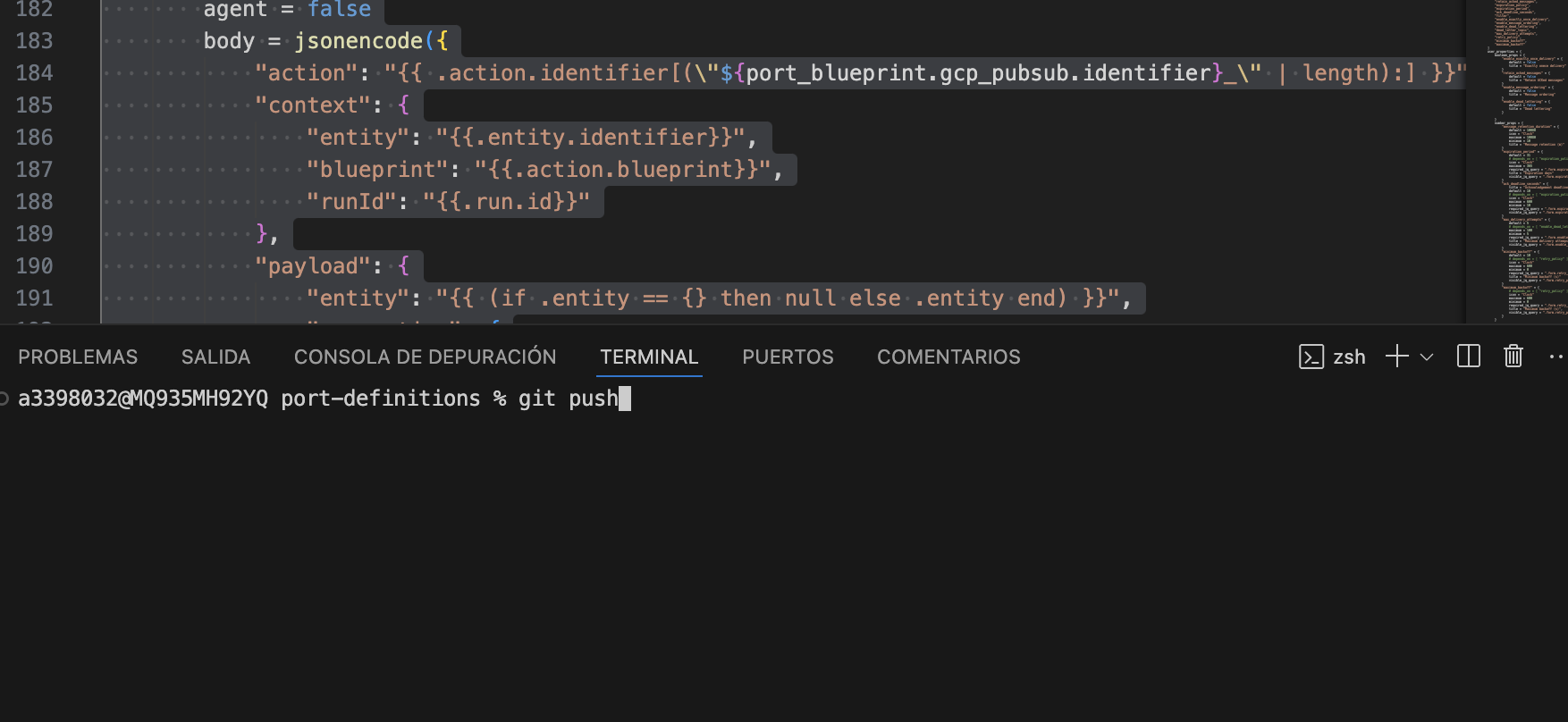
All generated code goes through approval by two people on the team to ensure code integrity. Every production release requires this approval, and our team applies the TFC change at the production level.