Blueprints / Actions IaC TFC
- Solicitar acceso,
maintener, o creación de nuevo repositorio en gitlab, dentro de la carpetaport-definitions, que es el repositorio central en donde se crean y administran todos los blueprints y agentes sincronizadores. - Ya con los accesos, clona el repositorio
git clone urlrepo.gity ábrelos en tu editor, en este caso utilizaremos VS Code.
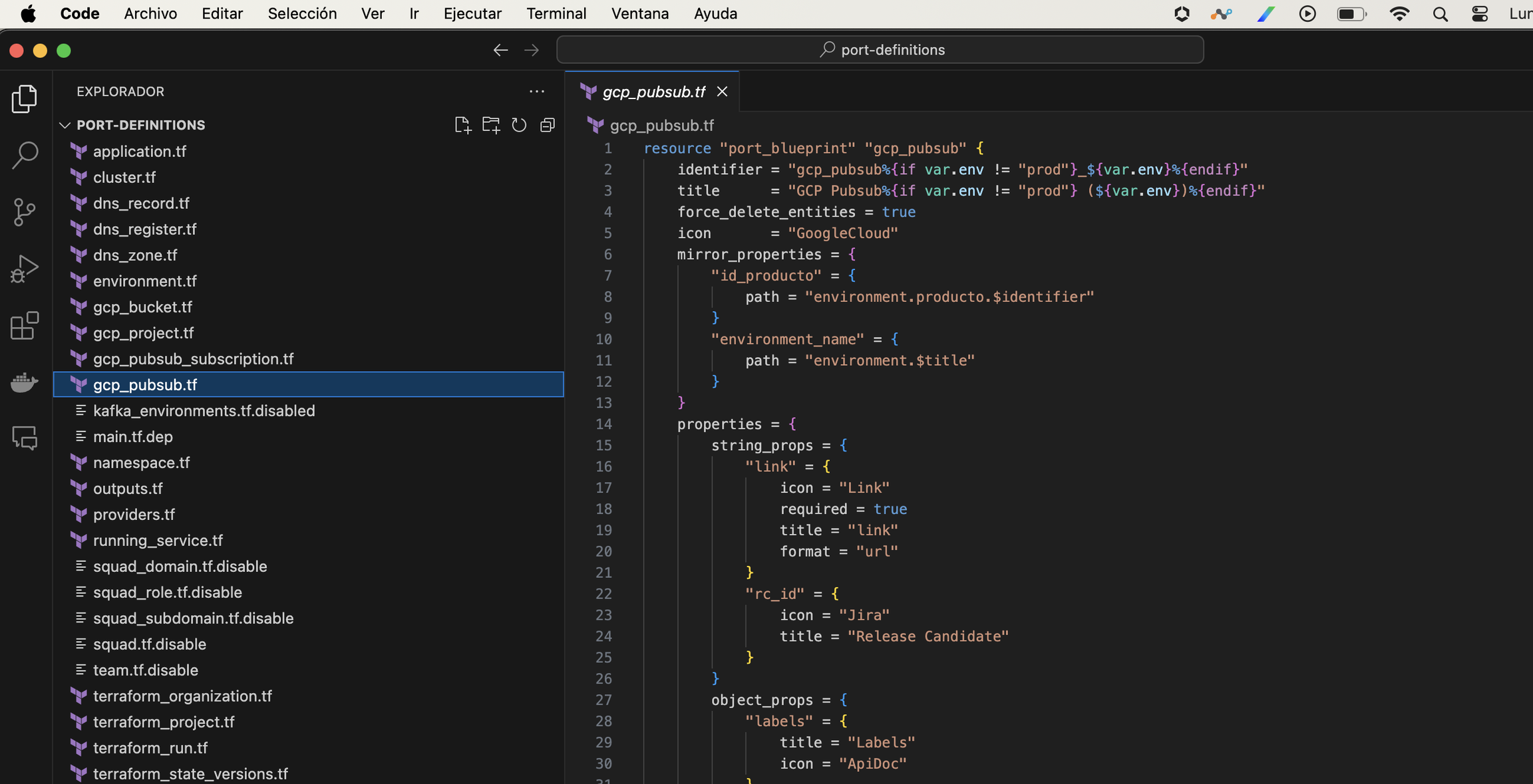
- El siguiente ejemplo es un blueprint llamado GCP Pubsub. Como se puede ver tiene las siguientes propiedades, "link, "Labels", "Release Candidate". Por defecto port crea la propiedas "title", "identifier", "create at", "Owner Teams".
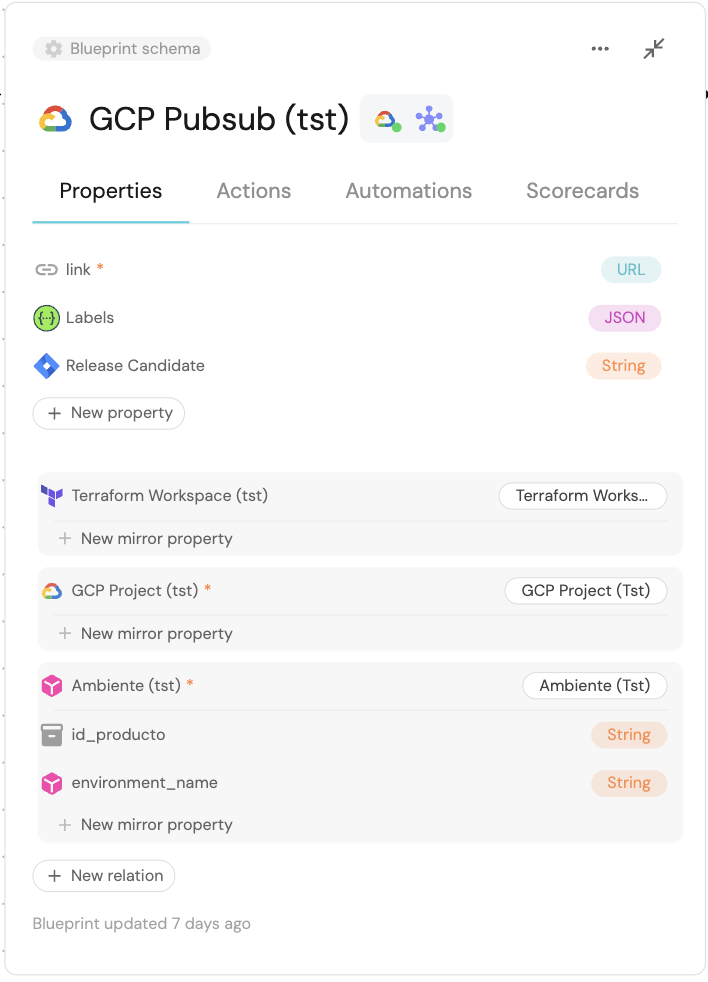
Para mayor detalle de cada una de las propiedades, entrar en la página oficial de terraform.io
- Para poder crear este blueprint GCP Project, como IAC, se hace con el siguiente código.
  resource "port_blueprint" "gcp_pubsub" {
      identifier = "gcp_pubsub"
      title = "GCP Pubsub"
      force_delete_entities = false
      icon = "GoogleCloud"
      mirror_properties = {
          "environment_name" = {
              path = "environment.$title"
          }
          "product_id" = {
              path = "environment.producto.$identifier"
          }
          "terraform_project_id" = {
              path = "gcp_project.terraform_project.$identifier"
          }
          "terraform_workspace_id" = {
              title = "terraform_workspace_id"
              path = "terraform_workspace.workspace_id"
          }
          "gcp_project_id" = {
          title = "GCP Project id"
          path = "gcp_project.$identifier"
          }

      }
      properties = {
          string_props = {
              "link" = {
                  icon = "Link"
                  required = true
                  title = "link"
                  format = "url"
              }
              "rc_id": {
                  title = "Release Candidate"
                  icon = "Rocket"
              }
          }
          object_props = {
              "labels" = {
                  title = "Labels"
                  icon = "ApiDoc"
              }
          }
      }
      relations = {
          "terraform_workspace" = {
              target     = "terraform_workspace"
              title      = "Terraform Workspace"
              many       = false
              required   = false
          }
          "gcp_project" = {
              target     = "gcpProject"
              title      = "GCP Project"
              many       = false
              required   = true
          }
          "environment" = {
              target     = "environment"
              title      = "Environment"
              required   = false
          }
      }
      team_inheritance = {
          path = "environment.producto"
      }
  }
-
Acá podemos ver que se crearon propiedades tipo string (string_props) y object_props. Pero se pueden tener los siguientes tipos:
Cada uno de estos tipos de datos tienen también sus propias propiedades
-
Otra de las propiedades que tienen los blueprint es el manejo de permisos, estos pueden ser asignados a Roles/Usuarios/Teams:
               resource "port_blueprint_permissions" "gcp_pubsub_permissions" {
                  blueprint_identifier = port_blueprint.gcp_pubsub.identifier
                      entities = {
                          "register" = {
                              owned_by_team = false
                              roles = [ ]
                          }
                          "unregister" = {
                              owned_by_team = false
                              roles = [ ]
                          }
                          "update" = {
                              owned_by_team = false
                              roles = [ ]
                          }
                          "update_metadata_properties" = {
                              icon = {
                                  owned_by_team = false
                                  roles = [ ]
                              }
                              identifier = {
                                  owned_by_team = false
                                  roles = [ ]
                              }
                              team = {
                                  owned_by_team = false
                                  roles = [ ]
                              }
                              title = {
                                  owned_by_team = false
                                  roles = [ ]
                              }
                          }
                          "update_properties" = {
                              "link" = {
                                  owned_by_team = false
                                  roles = [ ]
                              }
                              "rc_id" = {
                                  owned_by_team = false
                                  roles = [ ]
                              }
                          }
                      }
                  }
- En ANDES / Port, los "Actions ⚡️" son ejecuciones de distintos procesos, actualmente se cuentan con tres tipos
- Create: Cuando se crea una entidad (Entidad es un registro dentro de un blueprint)
- Day-2: Toda acción que no sea ni crear eliminar. (Crear Subscription, Editar Pubsub, asignar sa)
- Delete: Eliminar registro.
          resource "port_action" "create_pubsub" {
        identifier = "${port_blueprint.gcp_pubsub.identifier}_create_pubsub"
        description = ""
        icon = "GoogleCloud"
        publish = true
        required_approval = false
        self_service_trigger = {
            operation = "CREATE"
            blueprint_identifier = port_blueprint.gcp_pubsub.identifier
            order_properties = [
                "name",
                "gcp_project",
                "environment"
            ]
            user_properties = {
                string_props = {
                    gcp_project = {
                        blueprint = port_blueprint.gcp_project.identifier
                        dataset = {
                            combinator = "and"
                            rules = [{
                                operator = "containsAny"
                                property = "$team"
                                value = {
                                    jq_query = "[.user.teamsIdentifiers[]]"
                                }
                            }]
                        }
                        format = "entity"
                        required = true
                        title = "Proyecto GCP"
                        icon = "GoogleCloud"
                    }
                    environment = {
                        blueprint = port_blueprint.environment.identifier
                        dataset = {
                            combinator = "and"
                            rules = [{
                                property = "$identifier"
                                operator = "in"
                                value = {
                                    jq_query = ".form.gcp_project.relations.environment"
                                }
                            }]
                        }
                        depends_on = ["gcp_project"]
                        format = "entity"
                        required = true
                        title = "Ambiente"
                        icon = "Environment"
                    }
                    name = {
                        required = true
                        title = "Nombre"
                        icon = "NewPage"
                    }
                }
            }


        title = "Create GCP PubSub"
        webhook_method = {
            url = "${var.server_url}/v1/queues"
            agent = false
            body = jsonencode({
                "action": "{{ .action.identifier[(\"${port_blueprint.gcp_pubsub.identifier}_\" | length):] }}",
                "context": {
                    "entity": "{{.entity.identifier}}",
                    "blueprint": "{{.action.blueprint}}",
                    "runId": "{{.run.id}}"
                },
                "payload": {
                    "entity": "{{ (if .entity == {} then null else .entity end) }}",
                    "properties": {
                        "name": "{{.inputs.name}}"
                        "product_id": "{{.inputs.environment.properties.id_producto}}"
                        "environment_id": "{{.inputs.environment.identifier}}"
                        "environment_name": "{{.inputs.environment.title}}"
                        "gcp_project": "{{.inputs.gcp_project.identifier}}"
                        "workspace_id": "{{.inputs.gcp_project.relations.terraform_project}}"
                        "{{if (.inputs | has(\"rc_id\")) then \"rc_id\" else null end}}": "{{.inputs.\"rc_id\"}}"
                    }
                }
            })
            headers = {
                RUN_ID = "{{ .run.id }}"
                X-API-KEY = var.x_api_key
            }
            method = "POST"
            synchronized = false
        }
    }
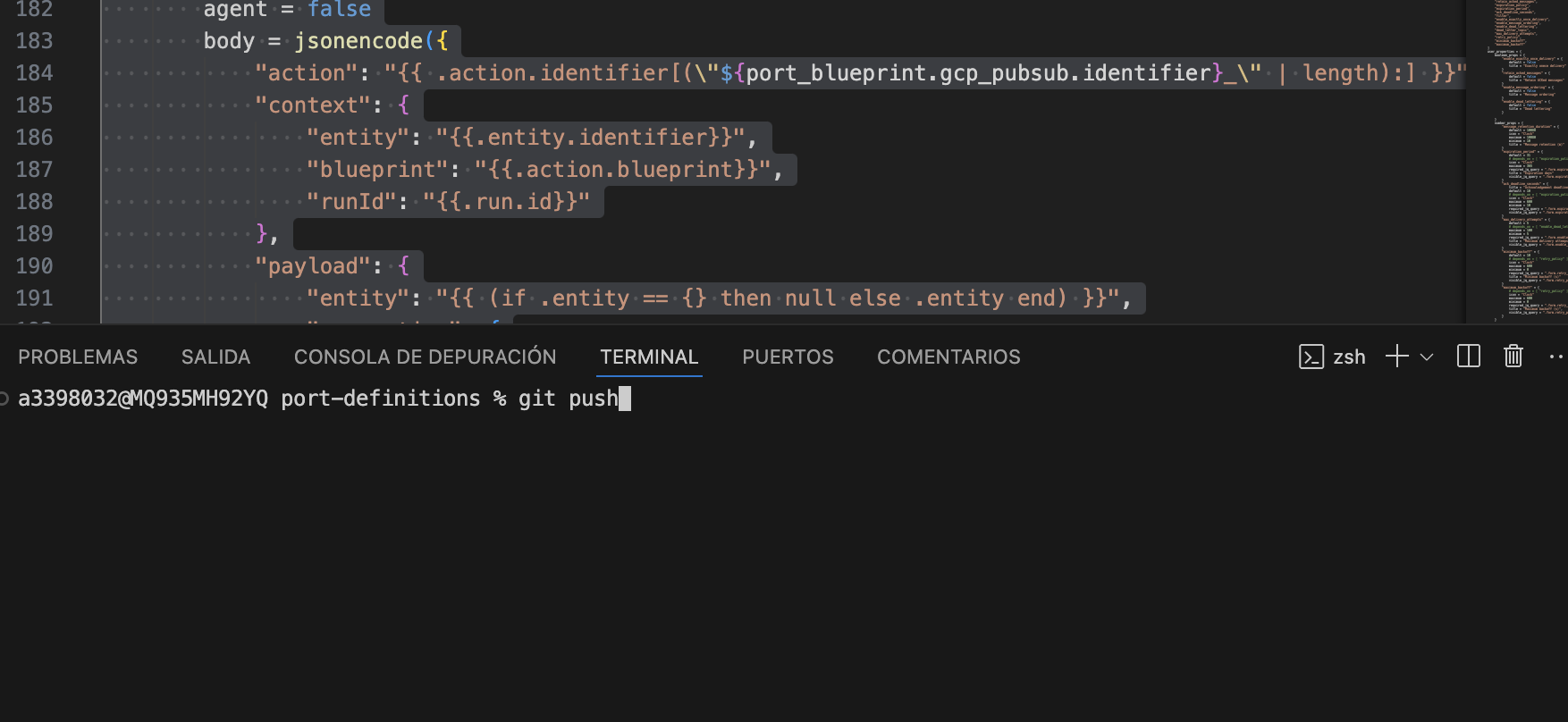
- Guardar y publicar: Una vez tengas los cambios solo debes hacer commit y pushear.
- Automáticamente al hacer push se ejecutará y aplicará el plan en tfc.
Todo código que se genere pasará por la aprobación de 2 personas del equipo, esto es para asegurar la integridad del código. Todo paso a producción requerirá de esta aprobación, así como también, nuestro equipo dará el apply de TFC a. nivel productivo.