My Products (IT Elements)
day 2 operations.
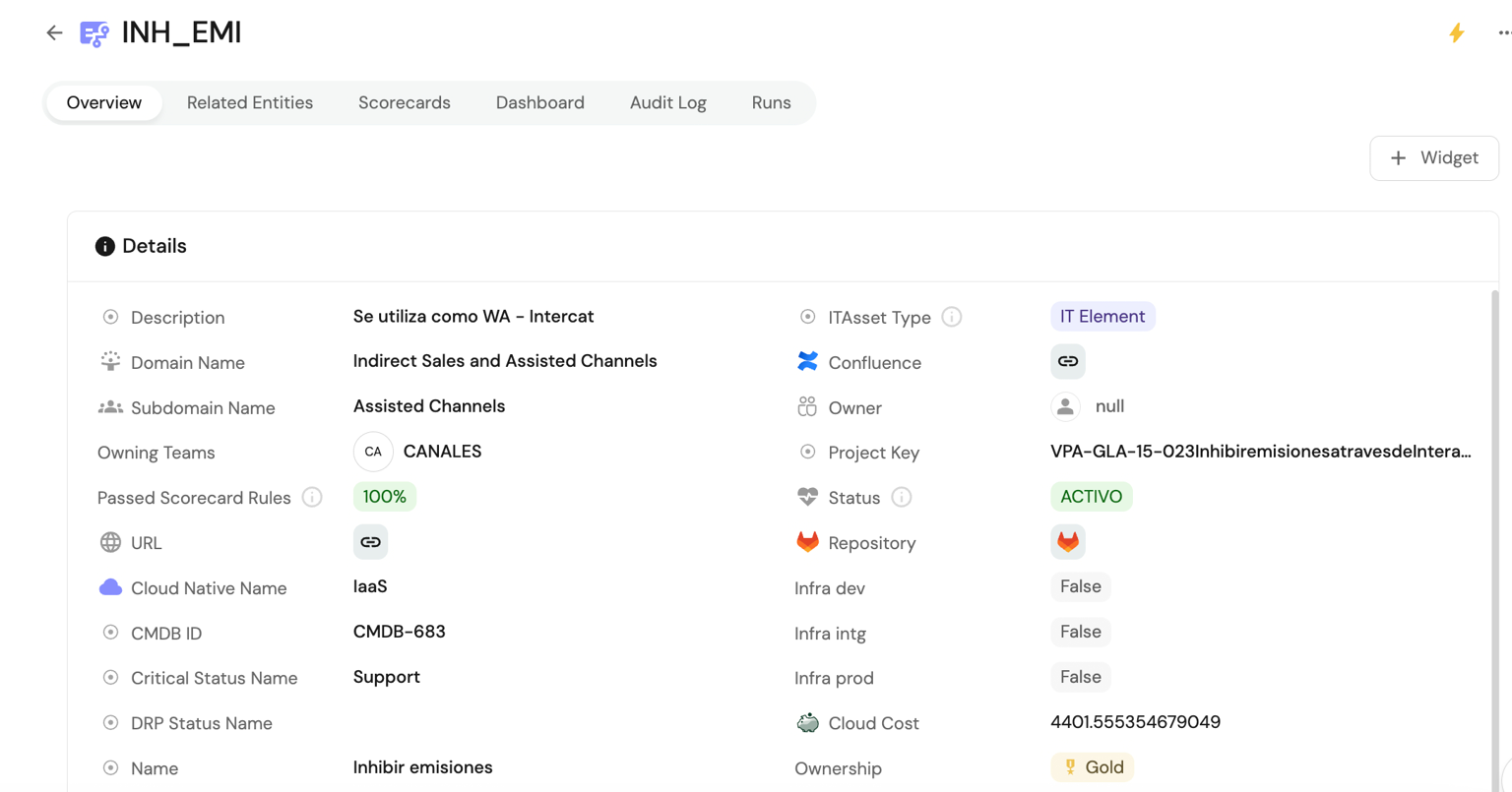 Main screen
 On the main IT Element screen you will find all infrastructure associated with it, with the RDI and environment list as primary information for managing environment variables for pipelines.
Creation / Import
You can create new IT Elements, and if they already exist in the CMDB you can import them and assign them to your team.
Creating a new IT Element
- Go to Home > Products (IT Element)

- Open the main ⚡ Products (IT Asset) action and select Create IT Asset
- IT Asset ID: ID for the IT Asset, e.g. CMDB1000
- Name: IT Asset name
- Description: Description
- Squad: Team the IT Asset belongs to
- Solution Type: IT Asset solution type: SaaS, PaaS, IaaS. If unsure, see the documentation. Glossary
- IT Asset Type: IT Asset type: IT-Element, Platform, Building Block. If unsure, see the documentation. Glossary
- MFA: Multi-Factor Authentication
Import an IT Element from CMDB
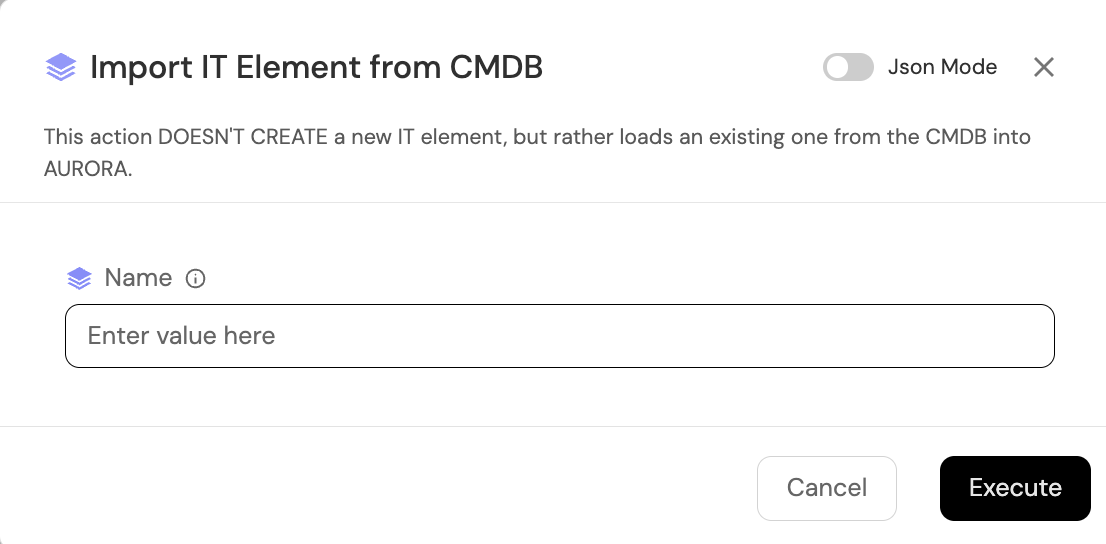
- Go to Home > Products (IT Element)
- Open the main ⚡ Products (IT Asset) action and select
Import IT Element from CMDB
Make sure the IT Element already has associated GCP projects with the required labels created. Otherwise configure them.
DAY 2
With ANDES, you also have many more ⚡ day 2 actions. These actions are generated within each IT Element.
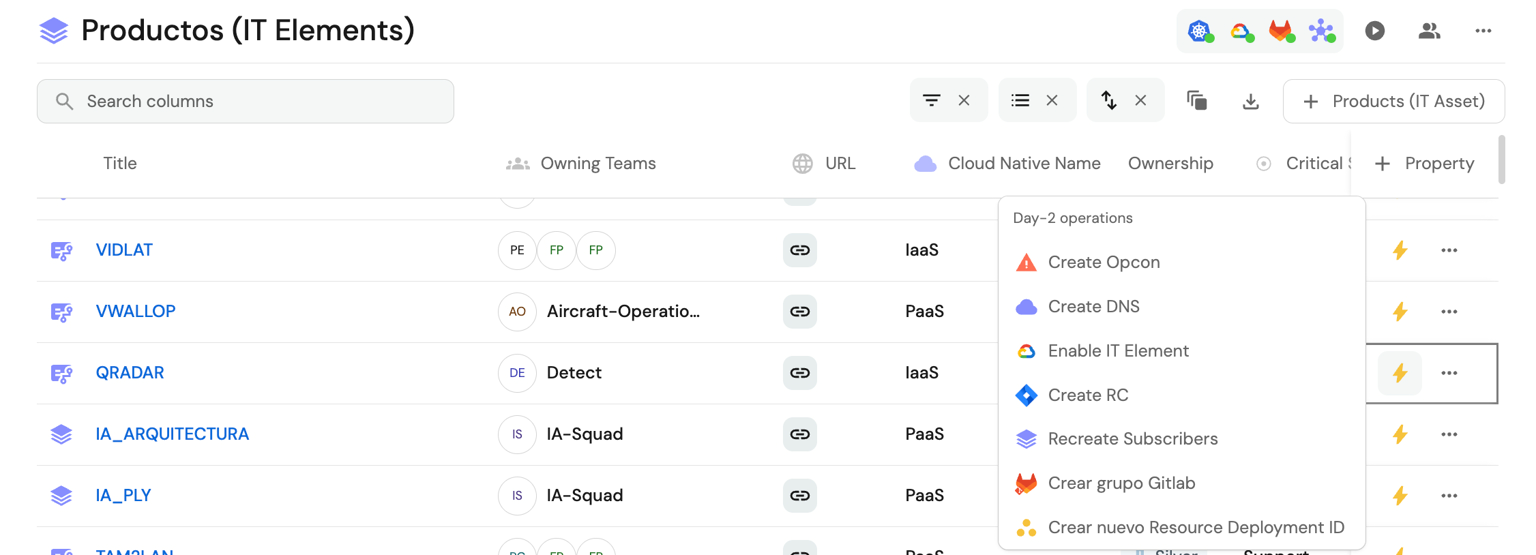
Enable IT Element
This option enables and creates the infrastructure required for an IT Element so developers can start building.
Create OPCON
OPerational CONtingency is a classification of event and incident severity related to systems or technology
infrastructure.
OPCON category or severity:
- OPCON 1: TOTAL unavailability of critical systems or critical systems in contingency
- OPCON 2: INTERMITTENCE, INSTABILITY, or DEGRADATION of critical systems or critical systems in contingency
- OPCON 3: Unavailability or degradation of systems classified as Support or non-critical.
Severity: Classification associated with incident impact, where Opcon 1 corresponds to a HIGH impact incident.
Create RC | Release Candidate
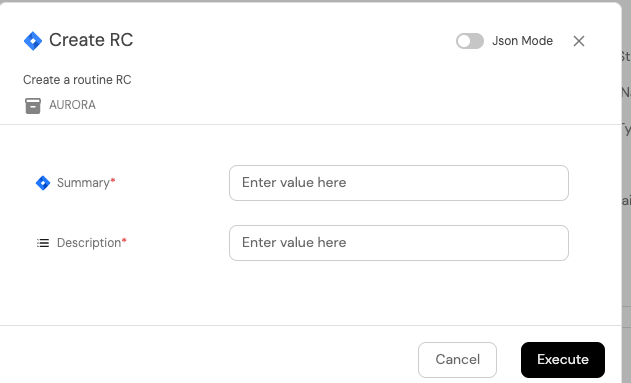
- Summary: Title for the RC
- Description: RC description
Create GitLab Group

If the IT Element already has a repository in GitLab, this menu does not appear. It requires no parameters because it takes the value from the IT Element.