Getting Started with GitLab
We will start by preparing all the prerequisites.
Multi-Factor Authentication (MFA) for LATAM Account
Git Installation
Create and/or link the account to LATAM SSO1
The only service authorized to manage LATAM Airlines repositories is https://gitlab.com/latamairlines/
To use the repositories available at https://gitlab.com/latamairlines/, you must:
-
To create an account on gitlab.com and link the account to LATAM SSO, access https://gitlab.com/groups/latamairlines/-/saml/sso?token=J39-Hyn-
-
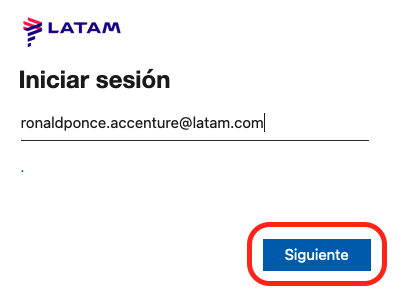
Enter your LATAM email:
-
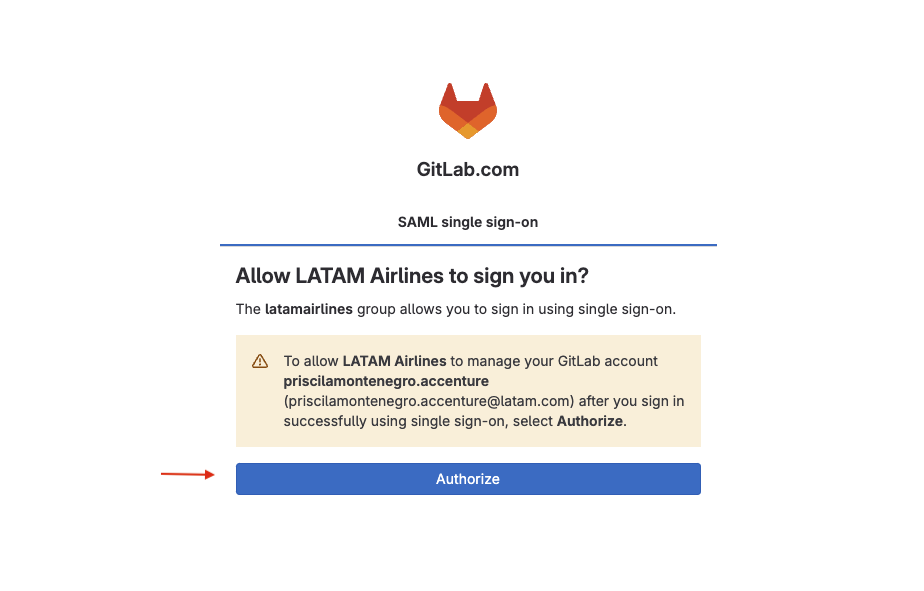
Authorize the LATAM account for login:
-
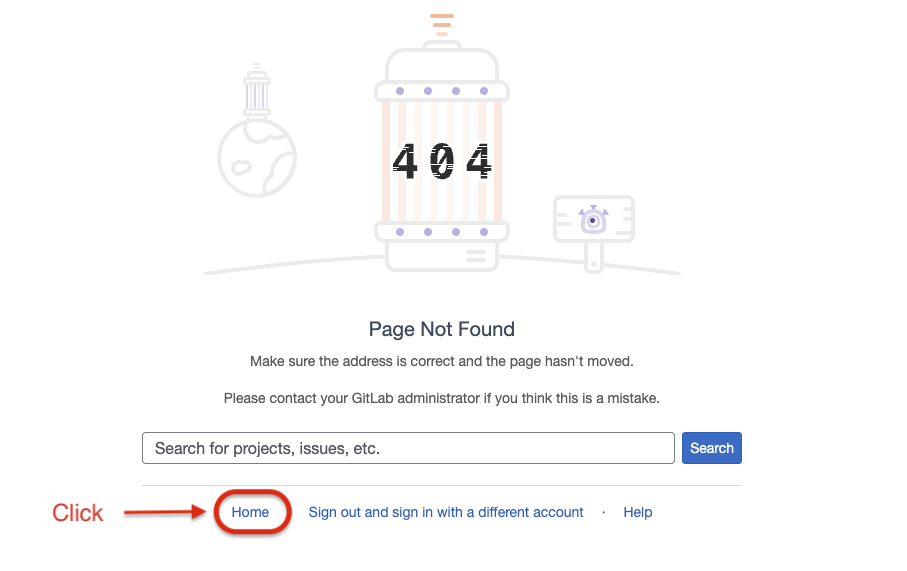
When accessing the organization now, you will see a
404 Page Not Foundmessage.This is not an errorThe account was linked to LATAM SSO, but you don't have permission yet to any subgroups or projects.
-
Go to Home:
-
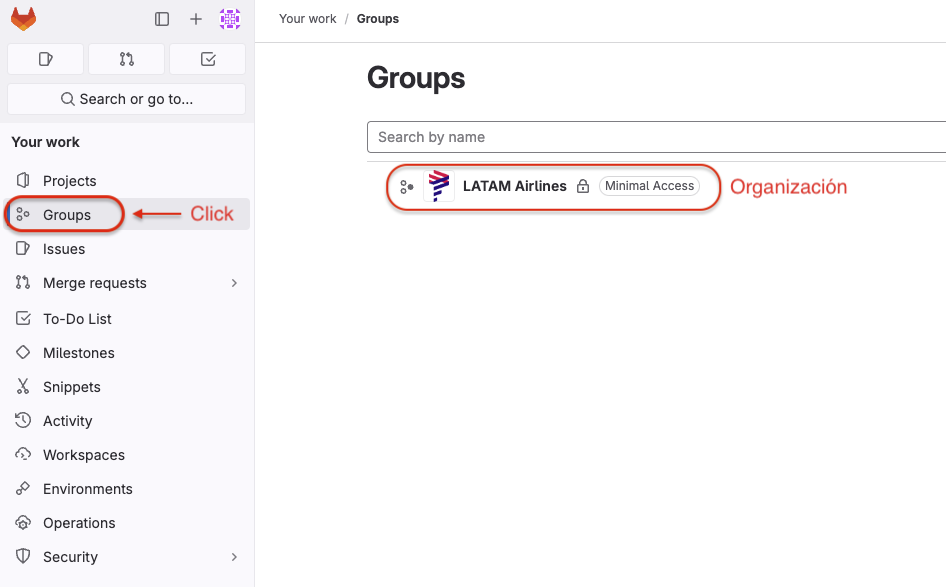
Access Groups, you will be able to see the organization, but you still won't be able to interact with the subgroups.
 If you are a developer ...
Now you can ask your Team Lead to add you to the sub-group or project you need.
SSH Key Authentication in GitLab
The recommendation for authenticating and performing git operations in GitLab is to use SSH keys.
For all examples, the SSH key name used will be: gitlab-latamairlines
-
Create and work in the directory where SSH keys are stored:
mkdir -p $HOME/.sshcd $HOME/.ssh -
Create the SSH key (if it doesn't exist), for this example an EdDSA type key will be used.
importantWe strongly recommend using a passphrase to protect the private key.
ssh-keygen -t ed25519 -f gitlab-latamairlines -
Create the
configfile in the.sshdirectory, with the following content:$HOME/.ssh/config# GitLab.comHost gitlab.comUser gitPreferredAuthentications publickeyIdentityFile ~/.ssh/gitlab-latamairlines -
To avoid having to enter the passphrase every time the SSH key is used, we can use the ssh-agent to manage private keys.
Start the ssh agent:
eval "$(ssh-agent -s)"Add the private key to the ssh agent:
ssh-add $HOME/.ssh/gitlab-latamairlines -
Copy the content of the public key to the clipboard:
- macOS
- Windows
- Linux
Copy the public key to clipboardcat $HOME/.ssh/gitlab-latamairlines.pub | pbcopyCopy the public key to clipboardcd %userprofile%/.sshclip < gitlab-latamairlines.pubCopy the public key to clipboardxclip -sel clip < $HOME/.ssh/gitlab-latamairlines.pub -
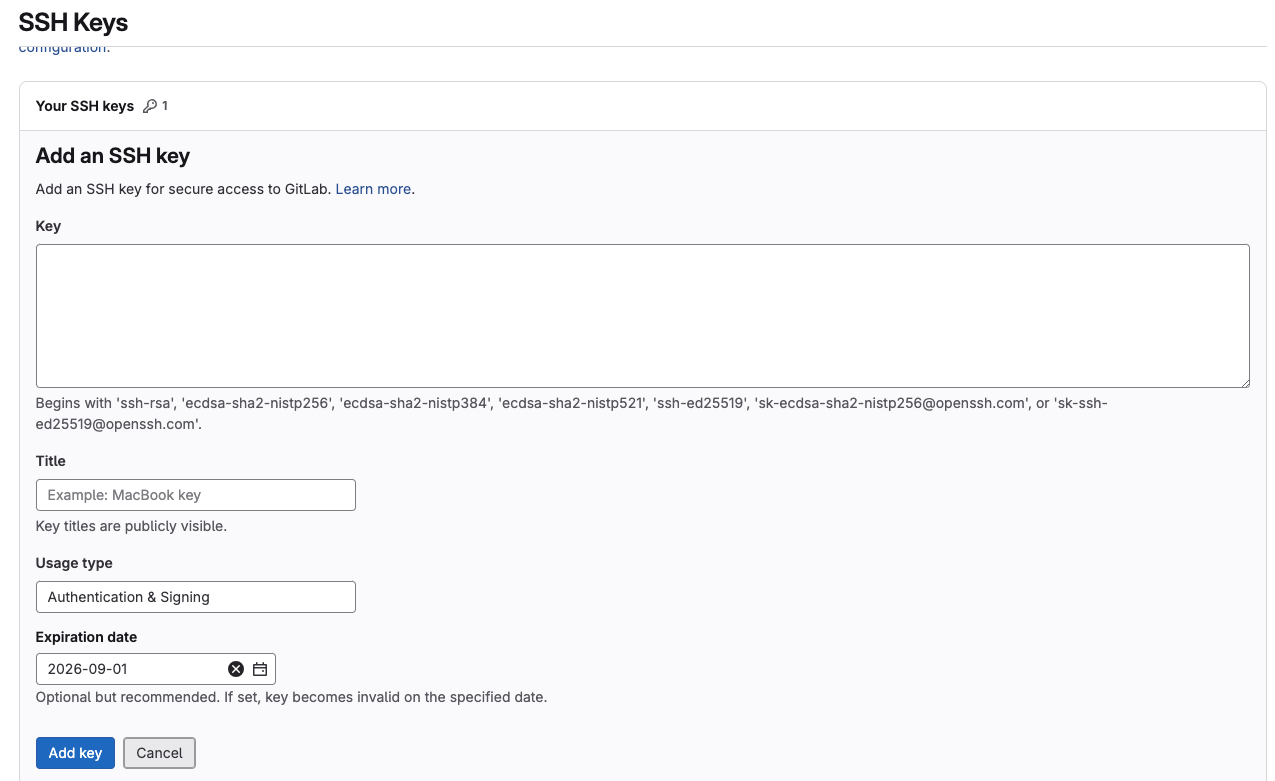
Go to GitLab in the SSH keys section.
User Settings>SSH Keys: https://gitlab.com/-/user_settings/ssh_keys -
Select the
Add SSH Keybutton:- Paste the public key in the
Keyfield. - Assign an identifying title in the
Titlefield, for example:MacBook LATAM. - Optionally, we can assign an expiration date in the
Expiration Datefield.
- Paste the public key in the
Get access
The sub-group structure in GitLab will change over time,
due to the new Enterprise Architecture Taxonomy being implemented at LATAM Airlines.
This means that new groups may appear or certain groups may be removed.
The best way to visualize this structure is by accessing the
latamairlines organization in GitLab.
The organization in GitLab is composed (in general) of the following levels:
- Service Domain: VP IT Journey and Chapters.
- Domain: Domain name that represents a main organizational unit.
- Subdomain: Domain subdivision, which can represent specific teams or areas within the domain.
- IT Element: IT Element ID
- Project: Source code repository and related resources.
- IT Element: IT Element ID
- Subdomain: Domain subdivision, which can represent specific teams or areas within the domain.
- Domain: Domain name that represents a main organizational unit.
To get access to a sub-group, you must request it through the channel that the owners of each sub-group define.
More information in Services > GitLab > GitLab Sub-group Owners
Service Domains
| Service Domain | Acronym | Owner | Path |
|---|---|---|---|
| Agility and Transformation | AGTR | Andres Gateño | |
| Cybersecurity | CYSE | Andre Pires | https://gitlab.com/latamairlines/cyse |
| Data | DATA | Andres Bucchi | https://gitlab.com/latamairlines/data |
| Loyalty & Cargo (Customer Journeys) | LYCA | Ricard Vila | https://gitlab.com/latamairlines/lyca |
| Operational (Operations and Business Support Functions) | OPER | Robert Fisher | https://gitlab.com/latamairlines/oper |
| Pax & Commercial (Commercial and Services) | PAXC | Rosario Philips | https://gitlab.com/latamairlines/paxc |
| Shared Service | SHSE | Isidora Acuña | https://gitlab.com/latamairlines/shse |
| Talent, Vendor and Control Management | TVCM | JC Cepeda | |
| Technology | TECH | Francisco Garcia | https://gitlab.com/latamairlines/tech |
Incorporation of the config Directory
At the base level of the /latamairlines/ account, there is a directory called config.
This directory will concentrate important repositories such as DevOps pipelines, Terraform configurations,
and other shared configuration resources.
Example:
- https://gitlab.com/latamairlines/config/devops
- https://gitlab.com/latamairlines/config/terraform-modules
Creation of Config Directories by Service Domain
If domains wish to create their own configuration directories, they can do so by maintaining the established directory naming convention. This ensures an organized and easy-to-navigate structure.
Example Structure:
Benefits of this Structure
- Organization: Maintains a clear and understandable hierarchy.
- Scalability: Facilitates the incorporation of new projects and repositories.
- Accessibility: Simplifies navigation and access to resources.
- Consistency: Ensures that all teams follow the same conventions. -->